

Exécuter des commandes
Syntaxe des commandes
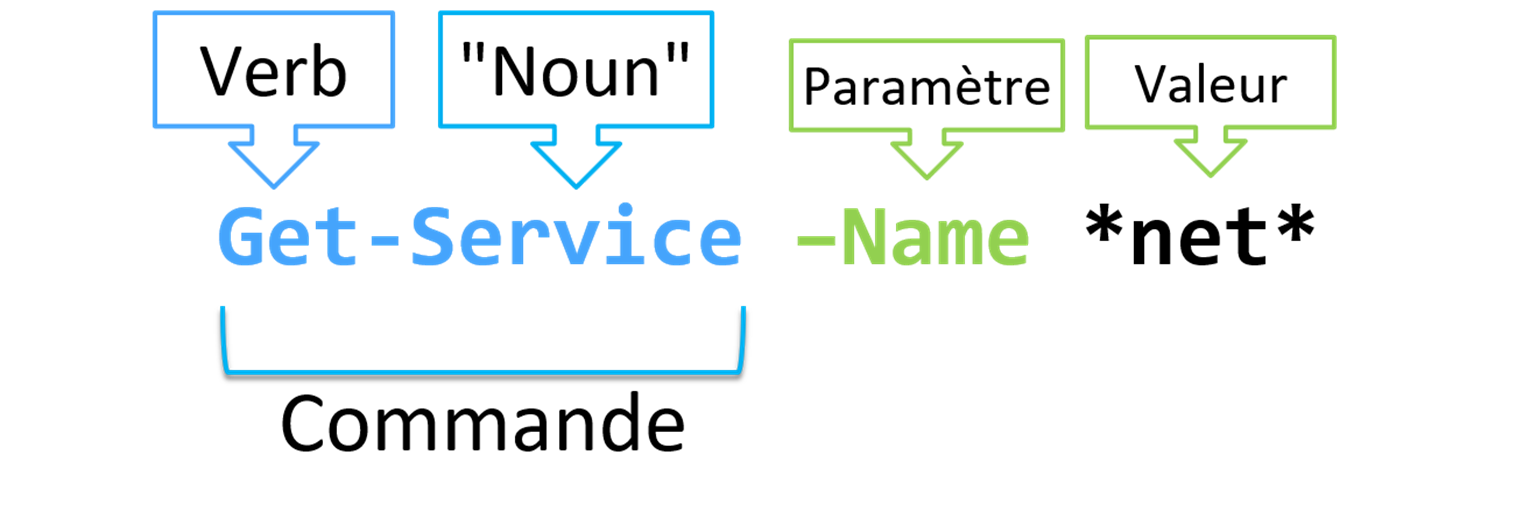
Par exemple, la commande Get-Service exécutée telle quelle, renverra l'ensemble des services.
Tandis que la commande Get-Service -Name *Net* ne renverra que les services contenant net dans leur nom.
Chaque verbe correspond à un type d'action précis :
Get-Verb permet d'obtenir la liste des verbs approuvés par les best-practices Powershell
Les 3 commandes indispensables
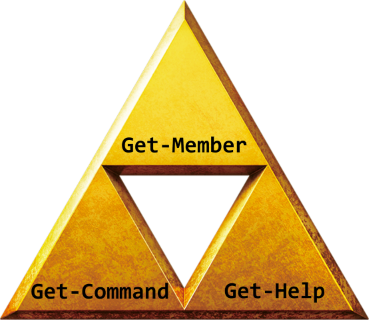
Get-Command
Get-Command permet de rechercher une commande en fonction de nom, de son verb ou de son module d'appartenance.
Get-Command -Name "*process*"
CommandType     Name                                               Version    Source
-----------     ----                                               -------    ------
Cmdlet          Debug-Process                                      7.0.0.0    Microsoft.PowerShell.Management
Cmdlet          Enter-PSHostProcess                                7.3.4.500  Microsoft.PowerShell.Core
Cmdlet          Exit-PSHostProcess                                 7.3.4.500  Microsoft.PowerShell.Core
Cmdlet          Get-Process                                        7.0.0.0    Microsoft.PowerShell.Management
Cmdlet          Get-PSHostProcessInfo                              7.3.4.500  Microsoft.PowerShell.Core
Cmdlet          Start-Process                                      7.0.0.0    Microsoft.PowerShell.Management
Cmdlet          Stop-Process                                       7.0.0.0    Microsoft.PowerShell.Management
Cmdlet          Wait-Process                                       7.0.0.0    Microsoft.PowerShell.Management
Get-Help
La commande Get-Help permet d'obtenir une aide sur le fonctionnement d'une commande.
Elle vous permet d'identifier les paramètres attendues, lesquels sont obligatoires ou non, le type de valeurs à leur envoyer, etc ...
Get-Help -Name "Get-Service"
NAME
    Get-Service

SYNTAX
    Get-Service [[-Name] <string[]>] [-DependentServices] [-RequiredServices] [-Include <string[]>] [-Exclude <string[]>] [<CommonParameters>]

    Get-Service -DisplayName <string[]> [-DependentServices] [-RequiredServices] [-Include <string[]>] [-Exclude <string[]>] [<CommonParameters>]

    Get-Service [-DependentServices] [-RequiredServices] [-Include <string[]>] [-Exclude <string[]>] [-InputObject <ServiceController[]>] [<CommonParameters>]


ALIASES
    gsv


REMARKS
    Get-Help cannot find the Help files for this cmdlet on this computer. It is displaying only partial help.
        -- To download and install Help files for the module that includes this cmdlet, use Update-Help.
        -- To view the Help topic for this cmdlet online, type: "Get-Help Get-Service -Online" or
           go to https://go.microsoft.com/fwlink/?LinkID=2096496.
L'ajout du paramètre -Online à la commande Get-Help vous envoie sur la page Microsoft Docs correspondante.
Get-Member
Get-Member vous permet d'obtenir "la carte d'identité" d'un objet obtenu par l'éxécution d'une commande ou stockée dans une variable. Elle vous permettra de connaitre:
- Son type
- Ses propriétés
- Ses méthodes
Get-Process | Get-Member TypeName: System.Diagnostics.Process
Name MemberType Definition
---- ---------- ----------
Disposed Event System.EventHandler Disposed(System.Object, System.EventArgs)
ErrorDataReceived Event System.Diagnostics.DataReceivedEventHandler ErrorDataReceived(System.Object, System.Diagnostics.…
Exited Event System.EventHandler Exited(System.Object, System.EventArgs)
OutputDataReceived Event System.Diagnostics.DataReceivedEventHandler OutputDataReceived(System.Object, System.Diagnostics…
BeginErrorReadLine Method void BeginErrorReadLine()
BeginOutputReadLine Method void BeginOutputReadLine()
CancelErrorRead Method void CancelErrorRead()
CancelOutputRead Method void CancelOutputRead()
Close Method void Close()
CloseMainWindow Method bool CloseMainWindow()
Dispose Method void Dispose(), void IDisposable.Dispose()
Equals Method bool Equals(System.Object obj)
GetHashCode Method int GetHashCode()
GetLifetimeService Method System.Object GetLifetimeService()
GetType Method type GetType()
InitializeLifetimeService Method System.Object InitializeLifetimeService()
Kill Method void Kill(), void Kill(bool entireProcessTree)
Refresh Method void Refresh()
Start Method bool Start()
ToString Method string ToString()